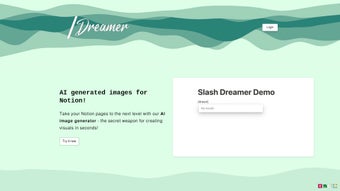

Download SlashDreamer – AI Image Generator for Notion
Overview
SlashDreamer is an AI‑driven image‑generation add‑on that lives inside Notion, turning plain text blocks into vivid visuals with a single slash command. By typing /dream followed by a descriptive prompt, the tool calls upon powerful diffusion models such as Stable Diffusion and DALL·E, delivering high‑resolution pictures in seconds. The integration was built with productivity in mind: you never need to open a separate graphic editor, browse stock‑photo sites, or copy files between applications.
All processing happens securely in the cloud, encrypted with TLS 1.3, and images are only stored temporarily unless you choose to download them. This approach keeps your workspace lightweight while guaranteeing that every image you create is yours to use commercially—a critical benefit for marketers, educators, freelancers, and teams that publish client‑facing material. SlashDreamer also supports multi‑language prompts, meaning non‑English speakers can describe their ideas in native terms and receive the same high‑quality output.
The subscription model includes full commercial rights, a generous image quota, and optional style presets that let you fine‑tune the artistic direction of each generation. In short, SlashDreamer transforms Notion from a static note‑taking platform into a dynamic visual canvas, helping you convey concepts faster, boost engagement, and keep creative momentum without ever leaving the app.
Key Features
- Instant In‑Notion Generation: Use the
/dreamslash command to create images directly on a Notion page, eliminating context switches. - Dual AI Engines: Choose between Stable Diffusion for artistic flexibility and DALL·E for photorealistic detail, expanding creative possibilities.
- High‑Resolution Output: Generate images up to 2048 × 2048 px, suitable for presentations, marketing assets, and printable material.
- Full Commercial Rights: Every image produced under an active subscription belongs to you, removing licensing concerns for commercial projects.
- Multi‑Language Prompt Support: Write prompts in English, Spanish, French, German, Japanese, and many other languages.
- Secure Cloud Rendering: All image generation occurs on encrypted servers; data is never retained after the session unless you download it.
- Custom Style Presets: Select from built‑in styles such as Minimalist, Illustrative, Cyber‑punk, or create your own style profile.
- Version History & Reuse: Each page keeps a history of generated images, allowing you to revert to earlier versions or reuse assets.
- Scalable Subscription Plans: Monthly and annual tiers, plus a 7‑day free trial with a generous image allowance for new users.
- Responsive Support: 24/7 help center, live chat, and an active community forum for tips, prompt ideas, and troubleshooting.
Installation, Usage & Compatibility
Getting started with SlashDreamer takes less than two minutes. Visit the official website, click the “Add to Notion” button, and you’ll be redirected to Notion’s integration page. After granting read/write permissions for your workspace, a new SlashDreamer block appears in the Notion sidebar. No additional binaries or desktop applications are required; the service runs entirely in the cloud, which means you can access it from any device that runs Notion.
To generate an image, open any Notion page, type /dream, and press Enter. A prompt window pops up where you can describe the scene you want—e.g., “A sleek futuristic office interior with neon lighting, rendered in ultra‑realistic style.” Once you submit, the AI begins processing; most users see results in 8‑12 seconds. The generated image appears inline, ready to be resized, dragged, or downloaded as PNG/JPEG. You can also click the “Style” dropdown to apply a preset or adjust the creativity slider for more experimental results.
Compatibility: Because SlashDreamer is a Notion integration, it works on every platform that supports Notion—including Windows 10/11, macOS 11+, Linux browsers, iOS 14+, and Android 8+. The cloud‑based architecture ensures consistent performance across desktop, web, and mobile clients.
Pros:
- Zero‑install, works anywhere Notion is available.
- Lightning‑fast generation keeps brainstorming fluid.
- High‑resolution, royalty‑free images reduce reliance on external designers.
- GDPR‑compliant data handling and end‑to‑end encryption.
- Flexible pricing for individuals, small teams, and enterprises.
Cons:
- Requires an active internet connection; offline generation is not possible.
- Subscription cost may deter occasional or hobbyist users.
- Complex prompts sometimes need iterative refinement for optimal output.
Conclusion, FAQ & Call to Action
SlashDreamer reimagines how you use Notion by embedding AI‑powered visual creation directly into your workflow. The blend of instant generation, full commercial rights, multi‑language support, and cross‑platform compatibility makes it a compelling addition for anyone who wants to enrich notes, project plans, or knowledge bases with custom imagery. If you value speed, creativity, and a seamless user experience, this tool is worth the investment.
Can I use SlashDreamer images for commercial projects?
Yes. All images generated under an active subscription belong to you, allowing unrestricted commercial use without additional licensing fees.
Do I need a Notion Pro account to install SlashDreamer?
No. SlashDreamer works with free, Personal, and Enterprise Notion plans. The only requirement is the ability to add third‑party integrations.
How secure is my data during image generation?
All communication between Notion and SlashDreamer is encrypted with TLS 1.3. Images are processed on secure cloud servers and are not retained after the session unless you download them.
What happens if I exceed my monthly image quota?
When you reach the limit, a notification appears offering the option to purchase extra credits or upgrade to a higher‑tier plan.
Is there a free trial available?
Yes. New users receive a 7‑day free trial with a generous image allowance, giving you ample time to test the workflow before committing.
Ready to transform your Notion workspace into a visual powerhouse? Download SlashDreamer now and start generating custom AI images instantly. Experience the free trial, enjoy full commercial rights, and see how a single slash command can elevate every document you create.
Pros: Instant integration, high‑resolution outputs, commercial rights, multi‑language support, secure cloud processing.
Cons: Requires internet connection, subscription cost, occasional need for prompt refinement.



.png)



